v14.3.00
What's new
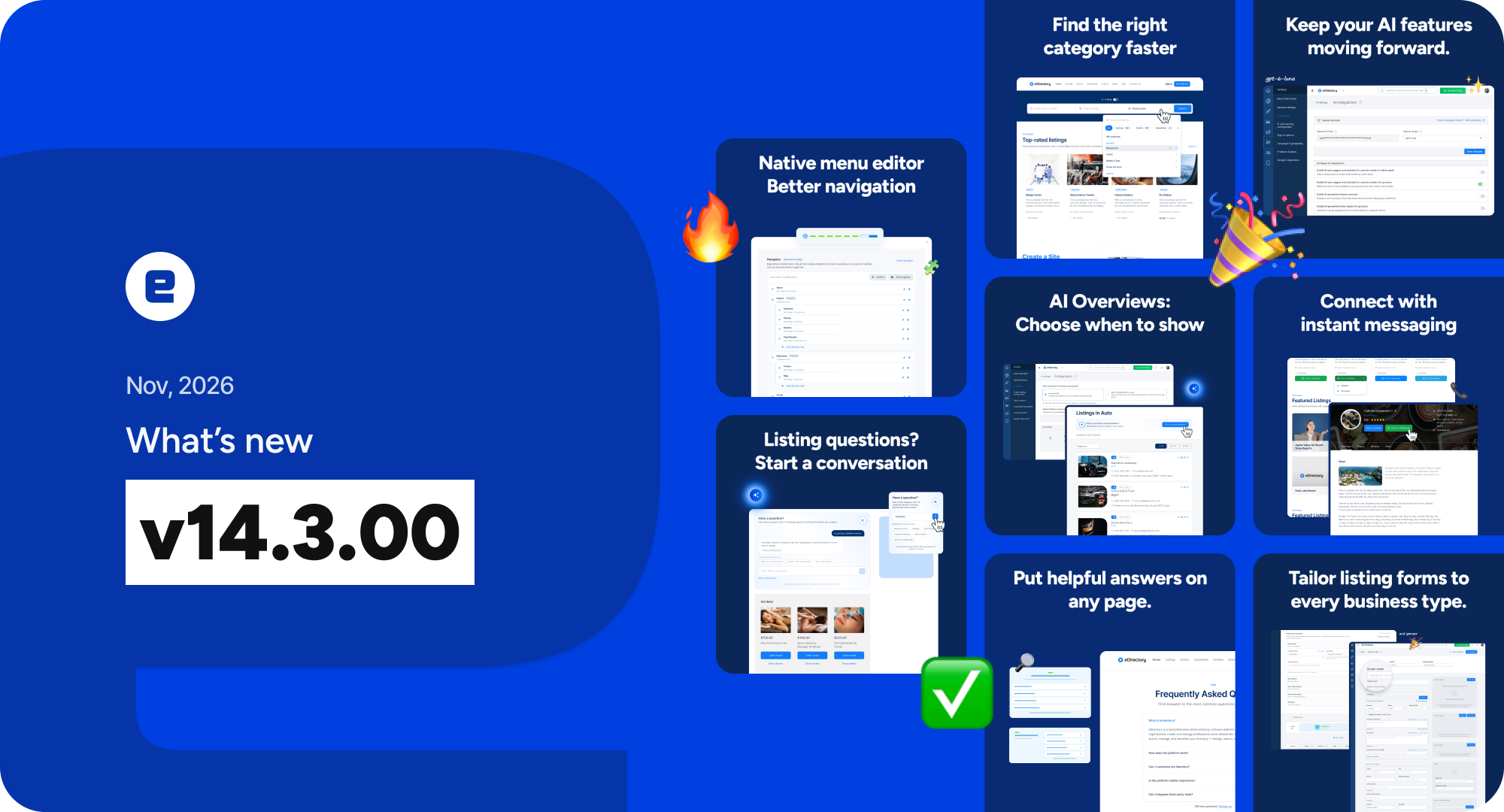
Build better navigation with a native menu editor. Create and customize your header navigation directly in the Page Editor. The Dropdown Menu plugin is now included as a standard product feature, replacing the previous navigation editor.
Turn listing questions into conversations. The new “Have a Question” widget lets visitors ask AI quick questions about a listing. Answers draw from the listing’s public content and include clickable links, suggestions, and contact actions to help visitors take the next step.
Help visitors find the right category faster. Add a category selector to Search Bar and Search Box widgets so visitors can narrow their search from the start.
Tailor listing forms to every business type. Customize the labels for Listing Title, Description, Summary Description, Address, and Address 2 directly in the Template Editor. Each template’s labels appear in the sponsor form, making it easier for advertisers to understand and complete their listings.
Choose when AI Overviews appear. Give visitors an AI-generated search summary automatically or let them request one on demand. Site managers can choose the experience when AI Overview is enabled. Existing installations retain automatic generation.
Put helpful answers on any page. Two new reusable FAQ widgets let you add up to 50 questions per widget anywhere on your site. The main FAQ page has also been reorganized, the former “Faq box” widget is now “FAQ with search”, and sponsor FAQs are now managed under Settings.
Keep your AI features moving forward. OpenAI-powered features now use gpt-6-luna, bringing the updated model to your directory’s AI tools.
Make it easier to connect through instant messaging. WhatsApp and other supported messaging options now appear on listing cards in Listings & Cards widgets, search result summaries, and listing detail headers, giving visitors more opportunities to reach businesses.
Minor fixes
Deals. A filled price with an empty discount was shown as free or zero. Cards, search summaries, and the detail page now show the regular price.
Manage Products. Custom field quantities were mixed together and capped at 20. Each field now keeps its own quantity.
YouTube Shorts carousel. The video carousel failed because the oEmbed options were missing.
Slider. The standalone slider caption was misplaced, and the typography broke on mobile.
Listing website. The website link on the listing detail page was rendered without http or https.
AI Assist for content. Generated article and blog content came back as Markdown, or wrapped in code fences, instead of HTML.
AI Assist in Custom Content. The assistant button did not appear in the Site Manager editor.
AI Mode search: Fixed cases where a location left in the URL affected searches without a location field. Restored keyword search fallback when AI search fails.
AI Consultant: Fixed an issue that excluded knowledge sources with valid similarity scores.
AI SEO: Fixed truncated suggestions and invalid JSON responses when generating longer content.
AI Assist: Fixed generated article abstracts exceeding the field’s character limit.
Exports: Fixed progress updates, file ordering, and listing template titles that caused malformed CSV output.
Invoices: Fixed searches by subscription discount code failing to find matching invoices.
Plans: Fixed excessive memory usage when editing plans with thousands of subscribers.
Avatars: Fixed JavaScript errors caused by accented name initials in Site Manager and the sponsor area.
Site Manager branding: Fixed the incorrect logo on the login screen and hardcoded “eDirectory” text in parts of the editor.
Sponsor area: Removed duplicate site titles from the page title tag and fixed a CSS class that caused ad blockers to hide the entire section.
Highlight cards: Fixed clipped text and responsive layout issues.
Centered cards: Fixed category menus extending beyond card boundaries.
Listing summaries: Fixed list and grid layouts across all templates, including Yelp rating placement, icons, and phone and contact information.
Reviews: Fixed ratings appearing on listing cards for levels without reviews, empty review sections remaining visible, and review votes appearing in the timeline as new reviews.
Business hours: Fixed incorrect calculations for listings in Canadian time zones.
Mobile app: Fixed search results failing to load when a record contained invalid latitude or longitude values.
Listing details: Fixed a page error when the Additional Videos plugin removed hasVideo.
Advertise page: Fixed the free trial button appearing when Stripe and recurring payments were unavailable.
Search indexing: Prevented HTML tags in descriptions from being included in listing, event, and deal keywords.
Portuguese translation: Corrected “Sem avalição” to “Sem avaliação.”